Custom Search

Tobacco contains over 4000 chemicals... Amazing facts

Tobacco contains over 4000 chemicals, many of which can cause cancer.

The Welwitschia plant can live up to 1,000 years.

The Victoria Cross is Britain's highest military decoration.

Archeologists report that cannabis was most likely the first plant cultivated by humans. Cannabis was used for linen, paper, and garments.

The name of the first menthol cigarette in the United States was "Spud."

Credit goes to: Paxmol

Amid hints of Firefox Mobile alphas, 'Fennec' moves forward

So how close is a real, supported version of Firefox for mobile devices? Prototypes have been under way for months, but last weekend, Mozilla's CEO indicated a real Firefox-branded alpha could be made available "in a few weeks."

In an interview with San Jose Mercury News reporter Pete Carey published over the weekend, Mozilla CEO John Lilly made a statement that Carey didn't appear to follow up on: The first official test versions of Firefox Mobile should come this month.

continue reading at BetaNews.
Backup photos to a CD in Windows XP

Unlike the prints in your old shoebox, digital photos never fade or become disordered. And it is great to have instant access to dozens of snapshots on your computer. But there is a cost to your shutter-happiness: Digital pictures use more of your computer's memory than other files might. Windows XP makes backing up your favorite photos as easy as viewing them in the first place. A wizard guides you through the process of storing pictures on a CD. Using a CD frees up space on your computer. To make use of this feature, you'll need:

  • A recordable CD drive.
  • A blank CD onto which you can transfer your photos.
  • Some stores refer to recordable CDs as CDRs. Make sure you purchase recordable CDs that will work with your computer.

To store your Photos to CD:

  1. In the My Pictures folder, locate the photographs or folder containing the photos you want to transfer to a CD.
  2. Right-click the desired folders or photos. To select more than one photo, click the first one, and then hold down CTRL and click the other photos.
  3. Point to Send To, and then click Writable CD.
  4. Follow the instructions on your screen.

After copying your photos to a CD, you can delete them from your computer.

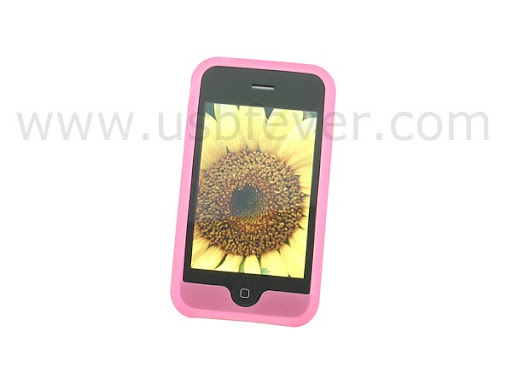
Silicone Case for iPhone 3G/iPhone 2.0

Silicone Case for iPhone 3G 1

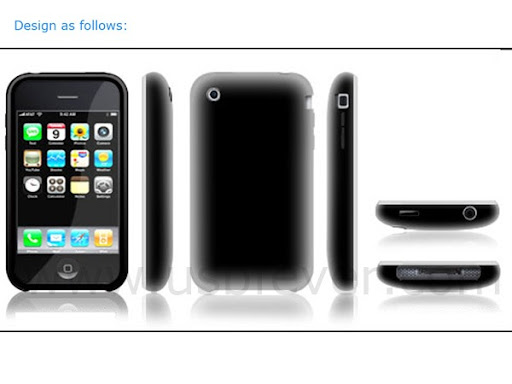
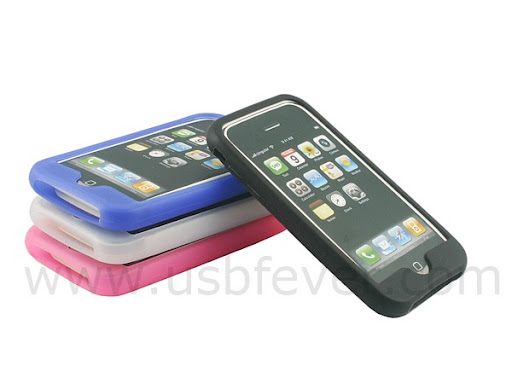
Protect your iPhone from dings, bumps, scratches and dust with our unique, stretchy silicone case. It is molded to fit your iPhone perfectly with all accessory ports, buttons and speaker holes visible and accessible.

Features: Unique ergonomic design Fully Protected from bumps and scratches Protection to the 4 coners Anti-slip and enhanced hand feel Light weight Perfectly fit Anti-dust Stretchy Anti-Moisture Easy access to all ports, buttons and speakers Materials: Rubbery Silicone

More Images: Click the picture to enlarge

Silicone Case for iPhone 3G 2 Silicone Case for iPhone 3G 3 Silicone Case for iPhone 3G 4

Silicone Case for iPhone 3G/iPhone 2.0 is available for US$12.99 from USBFever.