Custom Search
Showing posts with label Antivirus. Show all posts

Remove Fake Antivirus-Remove almost all Fake Antivirus softwares

Every PC needs an Antivirus these days.That’s why hackers used it at their own advantage. They make some fake Antivirus software's of popular brands that looks like a genuine Antivirus,but originally they are Virus/Trojan itself.

They are very difficult to remove.But here is the solution “Remove Fake Antivirus” software.

Remove Fake Antivirus is used to remove

1. Antivirus BEST 2. System Security 3. Personal Antivirus 4. System Security 2009 5. Malware Doctor 6. Antivirus System Pro 7. WinPC Defender 8. Anti-Virus-1 9. Spyware Guard 2008 10. System Guard 2009 11. Antivirus 2009 12. Antivirus 2010 13. Antivirus Pro 2009 14. Antivirus 360 and 15. MS Antispyware 2009

( fake versions which are viruses or Trojans) from your computer.

You may download it from its official website.

Or

Direct Link.

Spyware Terminator:Free Antispyware/Antivirus software

Millions of users worldwide rely on Spyware Terminator, winner of many awards and high ratings from industry experts and users. Its free comprehensive protection is comparable to competitors' paid versions!

Spyware Terminator includes:

  • Fast spyware scanning
  • 100% real-time protection
  • HIPS protection
  • Antivirus protection
  • Multilanguage Support

Spyware Terminator

Key Features:

  • Free Spyware Removel

Spyware Terminator will scan your computer for known threats and report findings in a manner that is easy to read and interpret. Every entry is given a rating and a classification, which makes it very easy to decide if a detected item should be removed. Unlike some free software titles, Spyware Terminator will remove all threats for free.

  • Free Automatic Updates

Spyware Terminator offers the ability to download and install updates automatically. Users are free to dictate how often Spyware Terminator checks for updates and how they are applied.

  • Free Scheduled Scans

Spyware Terminator gives users the ability to schedule spyware scans on a regular basis to ensure computer integrity. Scans can be scheduled on either a daily or a weekly basis at any hour of the day.

  • Free AntiVirus Integration

Spyware Terminator has included the popular award winning open-source antivirus, Clam AntiVirus (ClamAV), for optional integration to achieve a higher level of security. ClamAV can be integrated into spyware scans, updates and the real-time protection.

  • Free Support

Not only is the Spyware Terminator free, but support is included for free as well. Support is provided through e-mail and our public forum. Our highly qualified support team responds to all issues in a timely manner.

  • Free for Personal & Commercial Use

Spyware Terminator is licensed for free for both home and business use.

You may download it from its official website.

PC Tools AntiVirus Free Edition

With PC Tools AntiVirus Free Edition you are protected against the most nefarious cyber-threats attempting to gain access to your PC and personal information. Going online without protection against the latest fast-spreading virus and worms, such as Netsky, Mytob and MyDoom, can result in infections within minutes.

PC Tools AntiVirus Free Edition

Once infected, the virus will usually attempt to spread itself to your friends, family and associates by accessing your email contacts and networked PCs. The infection may also allow hackers to access files on your PC, use it to launch attacks against other computers and websites or to send mass SPAM email.

That's why PC Tools AntiVirus Free Edition provides world-leading protection, with rapid database updates, IntelliGuard™ real-time protection and comprehensive system scanning to ensure your system remains safe and virus free. PC Tools products are trusted and used by millions of people everyday to protect their home and business computers against online threats.

Key Features:

  • Protects your PC as you are working, surfing and playing
  • Detects, quarantines, disinfects and destroys Viruses, Trojans and Worms
  • IntelliGuard™ protects your computer against threats in real-time
  • Automatically checks for frequent updates against the latest threats
  • Best of all it's FREE. No catches, limitations or time-limits

You may download it from PC Tools Website.

Panda Cloud Antivirus-Free Antivirus

Panda Cloud Antivirus is a security service that protects your PC without affecting performance: It always offers maximum performance and only comes into action when it is necessary.
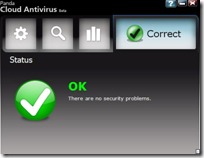
Free Panda Cloud Antivirus

This is the lightest and fastest antivirus service. It combats new threats without the need for updates, as it operates on the basis of our Collective Intelligence servers. You won't even notice it is installed.

Beta Note:

Its the beta version of the software and Under active development,may conations some errors/bugs.

Features:

  • Reinventing the antivirus

Panda Cloud Antivirus is intelligent and has been designed to act only when necessary. It's so light, you won't notice it's there, even if you are playing or using the Internet...

  • The fastest in detecting new viruses

Our network of Collective Intelligence servers identifies and processes viruses automatically in a fraction of the time required by laboratory technicians.

  • Designed with you in mind

Now you can forget about tiresome antivirus products with incessant notifications and difficult questions. Panda Cloud Antivirus works for you without annoying you.

  • Updates are history

The real key to Panda Cloud Antivirus is in the Collective Intelligence servers. That's why you'll always have maximum detection capacity without relying on traditional updates.

  • Detects more than anyone else

The Panda servers have a database of millions of viruses allowing Panda Cloud Antivirus to detect the multitude of threats that appear every day.

  • The community is key

Benefit from a network of users who automatically share information about viruses detected on their computers, ensuring that solutions travel around the world in just a few seconds.

Installation requirements:

The minimum requirements that your computer must meet to install Panda Cloud Antivirus are as follows:

  • Operating system: Windows Vista 32 (also compatible with Windows Vista SP1 32-bit), Windows XP (32-bit with SP 2 or 3).

  • RAM: 64 MB.

  • Hard disk free space: 100 MB.

  • Browser: Internet Explorer 6.0 or later.

Important Note:

Panda Cloud Antivirus is a security service that protects your computer thanks mainly to the Collective Intelligence hosted on Panda servers. So, in order to take full advantage of the detection capacity of Panda Cloud Antivirus, your computer must be connected to the Internet. Otherwise you cannot connect to our servers.

Nevertheless, this does not mean that Panda Cloud Antivirus will not protect your computer when you are not connected to the Internet. In this case, Panda Cloud Antivirus will protect your computer against the most common threats in circulation.

You may download Panda Cloud Antivirus Beta from its official website.

avast! Home Edition- Free Antivirus and Antispyware

Avast wrote.

FREE antivirus software with spyware protection: avast! Home Edition.

avast! Home Edition is a full-featured antivirus package designed exclusively for non-commercial & home use only. Both of these conditions should be met!

Avast Antivirus Home Edition

Our company offers the Home Edition free of charge, since, in our opinion, it is possible to avoid global virus spreading by efficient prevention; however, many users are not able to or do not want to pay for antivirus software. Institutions and organizations (non-commercial including) are not allowed to use avast! Home Edition.

If you are not a home user or if you use your computer for business purposes, we offer a wide range of more suitable products providing higher data security, starting with avast! Professional Edition.

Features:

You may download avast! Home Edition from Official Download page.

Avira AntiVir Personal FREE

Avira AntiVir Personal - FREE Antivirus is a reliable free antivirus solution, that constantly and rapidly scans your computer for malicious programs such as viruses, Trojans, backdoor programs, hoaxes, worms, dialers etc. Monitors every action executed by the user or the operating system and reacts promptly when a malicious program is detected.

Avira AntiVir Personal FREEAvira AntiVir Personal is a comprehensive, easy to use antivirus program, designed to offer reliable free of charge virus protection to home-users, for personal use only, and is not for business or commercial use. Available for Windows or UNIX.

Features:

  • AntiVir protection against viruses, worms and Trojans
  • AntiDialer protection against expensive dialers
  • AntiRootkit protection against hidden rootkits
  • Faster Scanning up to 20% faster
  • New User Interface
  • AntiPhishing protection against phishing

You may Download it from Offical website of Avira AntiVir Personal Free.

AVG Anti-Virus Free Edition

Download AVG Anti-Virus Free Edition - trusted by 80 million users

AVG Antivirus Free Edition is a Basic antivirus and antispyware software. it also have safe searching feature. All for Free.

  • The most downloaded software on CNET's Download.com
  • Quality proven by 80 million users
  • Easy to download, install and use
  • Protection against viruses and spyware
  • Compatible with Windows Vista and Windows XP

Note:

AVG Anti-Virus Free Edition is only available for single computer use for home and non commercial use.

You may Download AVG Anti-Virus Free Edition From AVG Website.

Antivirus 360 threat Remover

Information: This virus is a clone of Antivirus 2008 (or 2009). It is a rogue.It tries to push user into purchasing of a licensed version with falsified threats. A threat that doesn't exist.

Files:      create file in the directory A360.exe

  • programs Files\A360\av360.exe 
in

  • Desktop\Antivirus 360.lnk

And the "Antivirus 360" in the Start menu>Programs.

  •    Program Files\A360

Process : Create this system process

  •  Program Files\A360\av360.exe

Windows Registry:    

  • Create Keys : 
               o  HKEY_CURRENT_USER\Software\06C01E83FD0117ADEAF3E568AB559C01

  • Create Values : 
          o HKEY_LOCAL_MACHINE\SOFTWARE\Microsoft\Internet Explorer                 + UserSession = "06C01E83FD0117ADEAF3E568AB559C01"           o HKEY_CURRENT_USER\Software\Microsoft\Windows\CurrentVersion\                 + Run= "13376694984709702142491016734454"
  • Change Values:
          o HKEY_LOCAL_MACHINE\SOFTWARE\Microsoft\Security Center]                 + AntiVirusOverride = 0x00000001                 + FirewallOverride = 0x00000001

You may download Antivirus 360 Removal patch from the following website

Block Spyware installation with Spyware Blaster

Prevent the installation of spyware and other potentially unwanted software!

Spyware, adware, browser hijackers, and dialers are some of the fastest-growing threats on the Internet today. By simply browsing to a web page, you could find your computer to be the brand-new host of one of these unwanted fiends!

The most important step you can take is to secure your system. And SpywareBlaster is the most powerful protection program available.

Features:

Prevent the installation of ActiveX-based spyware, adware, browser hijackers, dialers, and other potentially unwanted software. Block spyware/tracking cookies in Internet Explorer and Mozilla Firefox. Restrict the actions of potentially unwanted sites in Internet Explorer.

SpywareBlaster can help keep your system spyware-free and secure, without interfering with the "good side" of the web.

And unlike other programs, SpywareBlaster does not have to remain running in the background.

SpywareBlaster is freeware for personal and educational use.

SpywareBlaster is freeware. Please consider donating to further their cause! Click here for more information.

You may download Spyware Blaster from JavaCoolSoftware Website.

USB Firewall

Now a days usb devices are common.usb flash drives, Card reader, hard drives and so on to make our life easy.

But they have a negative side also which is spreading Viruses. All over the world (specially in pakistan and india) usb devices are the source of spreading viruses. Even antivirus softwares are unable to stop and remove them (e.g Symantec).

These virus are real headache.They disable Task Manger, Folder Options, Regedit, run command etc. So there is a need for such type of software which can stop these.

So I brought a software for you. USB FireWall blocksall virus and other wilful programs which try to spread in your system when an USB device is inserted. The application runs in background and alerts you immediately in case of try of intrusion. You can stop the program and delete the file associated with.

USB FireWall doesn’t need any virus definition update. USB FireWall can also clean your hard disk partition from auto launched application.

USB FireWall is an application which protects you from all malevolent programs which try to launch itself as soon as a peripheral USB is inserted. It will inform you if ever a such program exists in your USB peripherals. You can remove the malevolent file and the file autorun.inf which launches it with just one click. Download link and more info is available at USB Firewall official website: http://net-studio.org/application/usb_firewall.php